 OnCue
Never miss a meeting again.
A countdown in your Mac's menu bar, and a Join button the moment it's time.
Free · Pro $9.99 once · 7-day free trial · macOS 14 or later
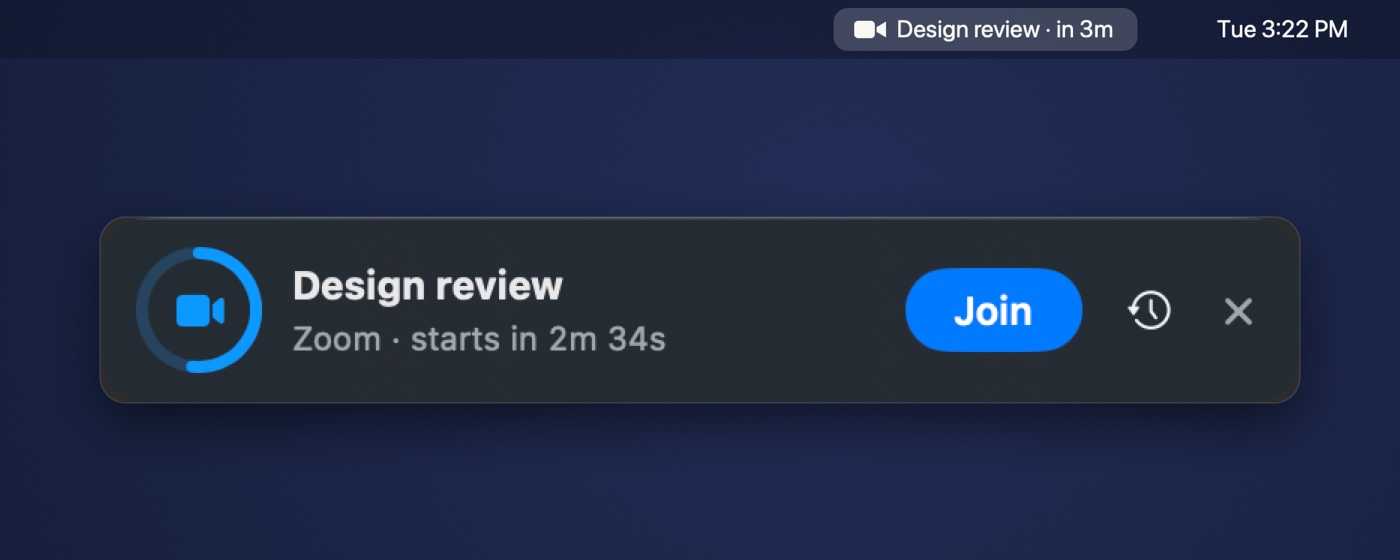
Counts down
Your next meeting, live in the menu bar.
Pops up
A Join panel slides in before it starts, and stays until you act.
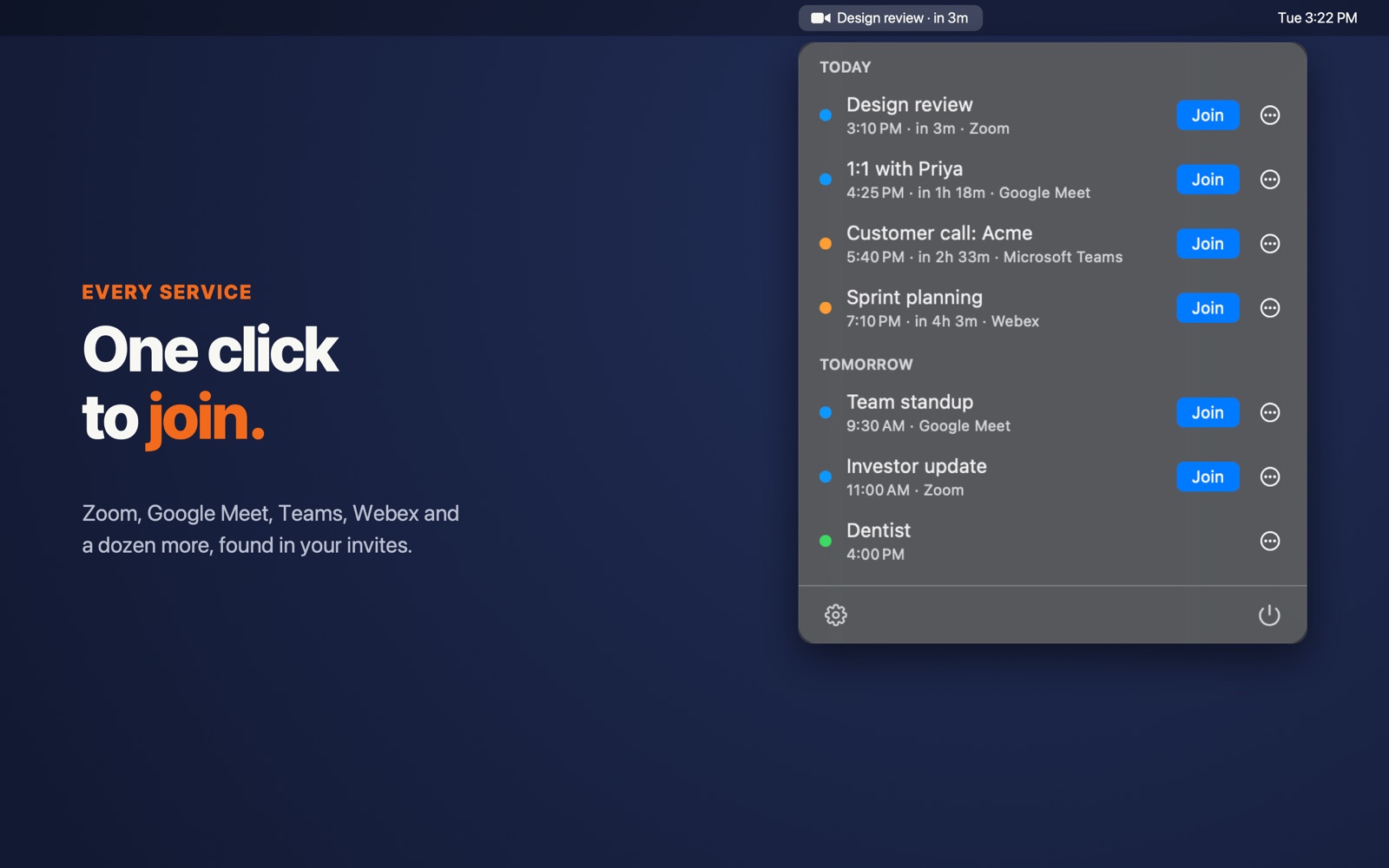
One click
Zoom, Meet, Teams, Webex and a dozen more. Found automatically.
Knows you're on a call
Running over? It says so, and brings the next meeting back the moment you hang up.
New in 1.2 · Pro
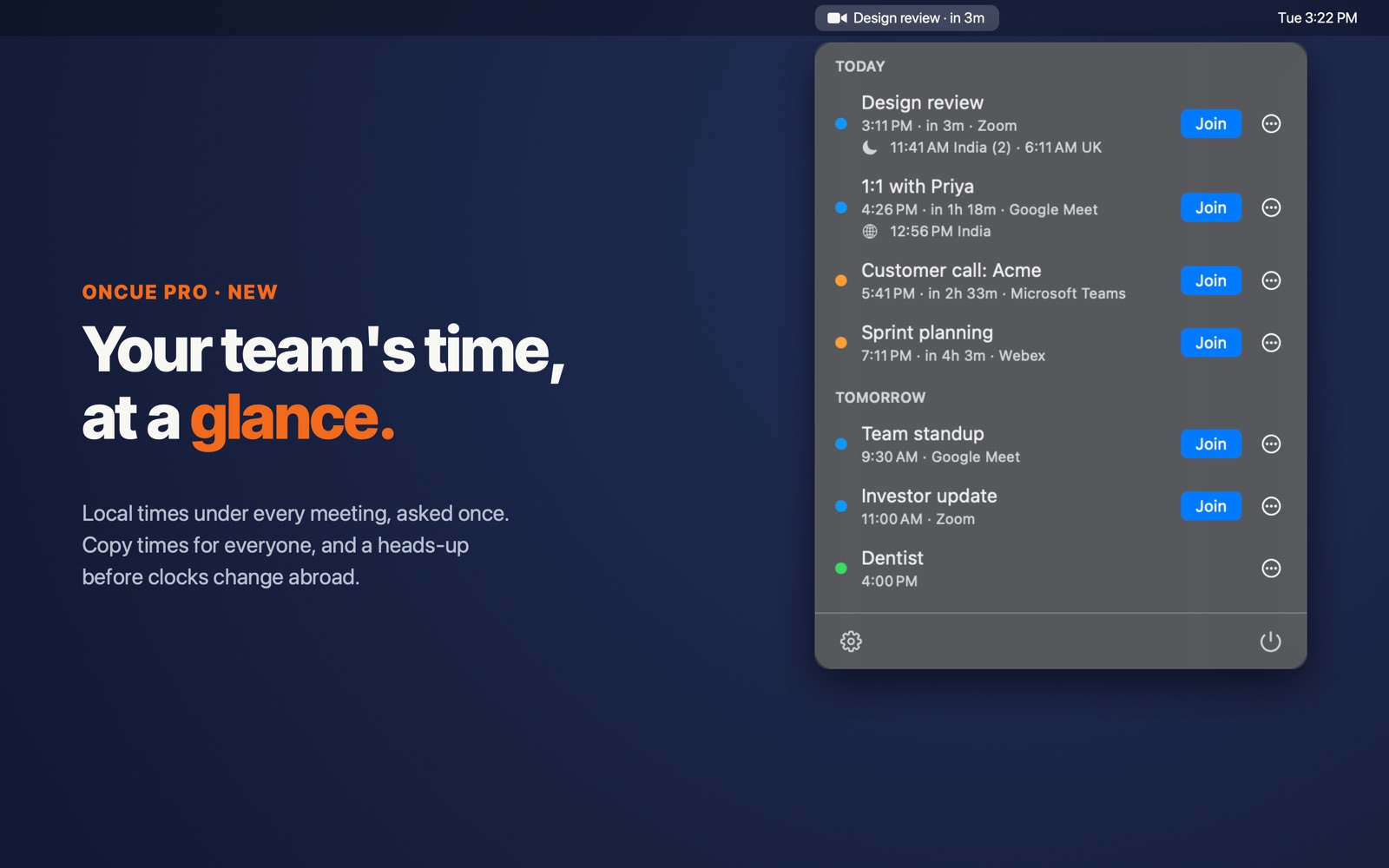
Your team's local time, under every meeting.
OnCue asks once where the companies you meet with work, and only then about the people it can't place. From then on each meeting shows "8:30 AM India (3)", with a moon when it's late for them. Copy a meeting's time for everyone in one click, and get a heads-up before clocks change abroad.
- Asked once, never guessed
- Local times on every meeting
- Copy times for everyone
- Daylight-saving heads-up
Pricing
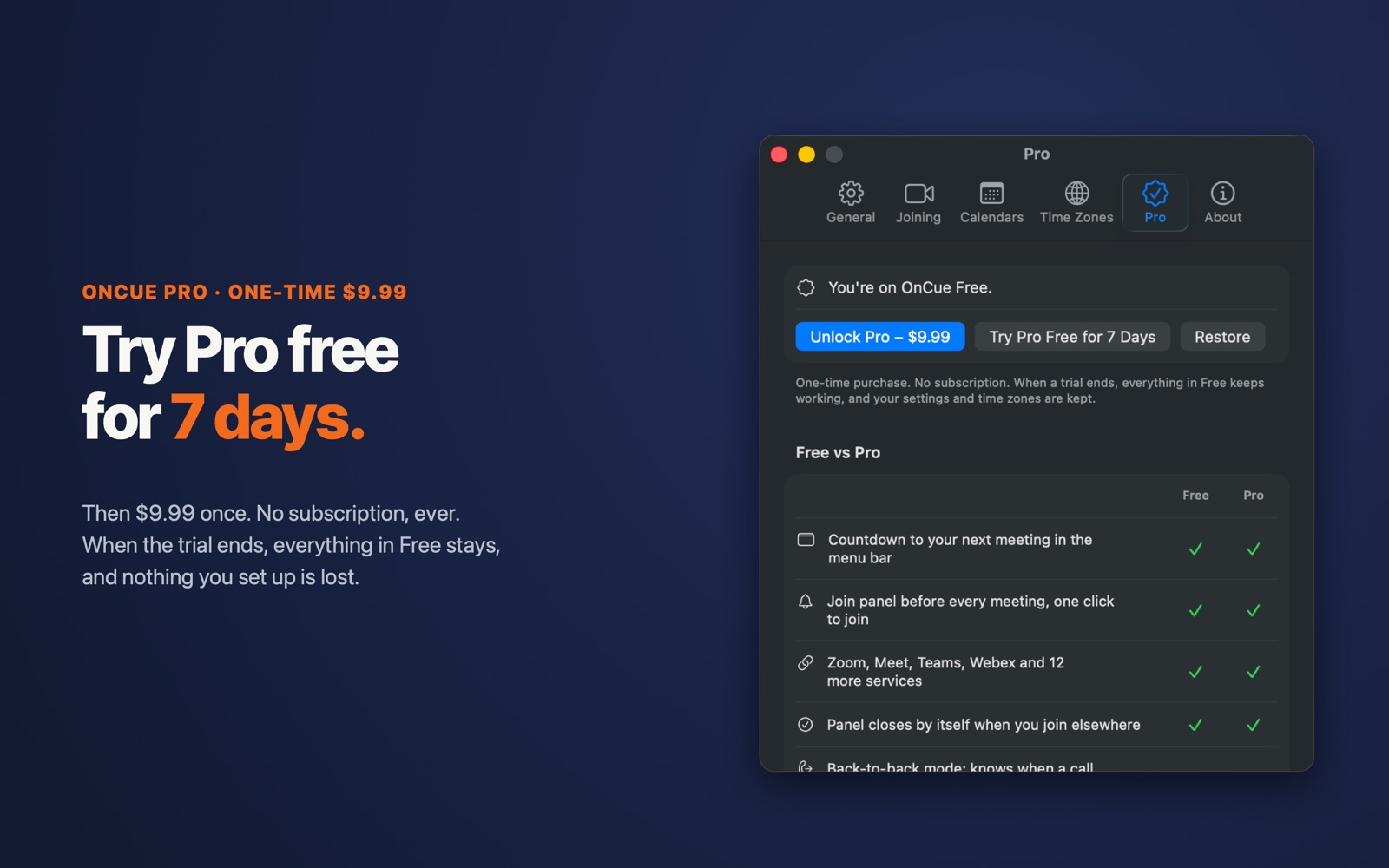
Free for good. Pro once.
Try every Pro feature free for 7 days.
When the trial ends, OnCue keeps working as a free app. Everything in Free stays, and your settings and time zones are kept. No account, no card.
| What you get | Free$0 | Pro$9.99 once |
|---|---|---|
| Countdown to your next meeting in the menu bar | ||
| Join panel before every meeting, one click to join | ||
| Zoom, Meet, Teams, Webex and 12 more services | ||
| Closes by itself when you join from your browser or app | ||
| Back-to-back mode: knows when your last call ran over | ||
| Every calendar on your Mac: Google, Outlook, iCloud | ||
| Who's coming, dial-in, copy link | ||
| Open Zoom, Teams and Webex straight in their apps | ||
| Open meetings automatically, only when you're free and at your Mac | ||
| Snooze the Join panel | ||
| “Running late” email to attendees, in one click | ||
| Your invitees' local times on every meeting | ||
| Copy a meeting's time in everyone's time zone | ||
| A heads-up when clocks change for people abroad | ||
| See when your current meeting ends, in the menu bar |
Comparing? OnCue vs MeetingBar · OnCue vs In Your Face
Your calendar never leaves your Mac. No account, no servers, no analytics, no tracking.
Privacy policy →Support
Need help?
Email [email protected]. We usually reply within one business day.
Email supportOnCue is made by SAGE7 AI LLC.
Common questions
My meetings don't show up.
OnCue shows the calendars on your Mac. Add your Google, Outlook or iCloud account in System Settings → Internet Accounts and turn on Calendars.
OnCue says it needs calendar access.
System Settings → Privacy & Security → Calendars → turn on Full Access for OnCue.
A meeting has no Join button.
Its invite has no video link. To be alerted anyway, turn on "Also alert for events without a meeting link" in Settings.
Does OnCue listen to my microphone?
No. It never records audio and doesn't ask for microphone permission. It only checks whether any app is using a mic (the orange dot), which is how it knows you've joined a call or are still on one.
What happens when the free trial ends?
OnCue keeps working as a free app. The countdown, the Join panel, one-click join, auto-close and back-to-back mode stay free for good. Pro extras (auto-open, local times, snooze and the rest) pause until you buy Pro, and nothing you set up is lost: your settings and time zones are kept and come back the moment you unlock. No account or card is needed for the trial.
How does OnCue know where my colleagues are?
It asks, once. Calendar invites carry the time zone their organizer scheduled in, which is often head-office time rather than where people are, so OnCue only uses that to suggest answers. It asks where most people at a company work, whether some are elsewhere, and then only about the people it can't place. Change anyone later in Settings → Time Zones. Answers stay on your Mac.
A meeting didn't open automatically.
By design, OnCue holds back when you're on another call, away from your Mac, or have two meetings at once, and the Join panel says why. Invites you haven't replied to open too, unless you turn that off in Settings → Joining. Meetings that reach your Mac late (Calendar syncs Google accounts on a timer: Calendar → Settings → Accounts → Refresh Calendars) get the panel only.
How do I get Pro on another Mac?
Downloaded directly: paste the license key from your purchase email in Settings → Pro. From the Mac App Store: sign in with the same Apple Account; Pro unlocks automatically, or use Settings → Pro → Restore.
Direct download or Mac App Store?
Same app, same features. The download updates itself and Pro is a license key; the App Store version updates through the App Store and Pro is an in-app purchase. A purchase in one doesn't unlock the other.
I lost my license key.
Go to useoncue.app/license and enter the email you paid with; we'll email it to you again.